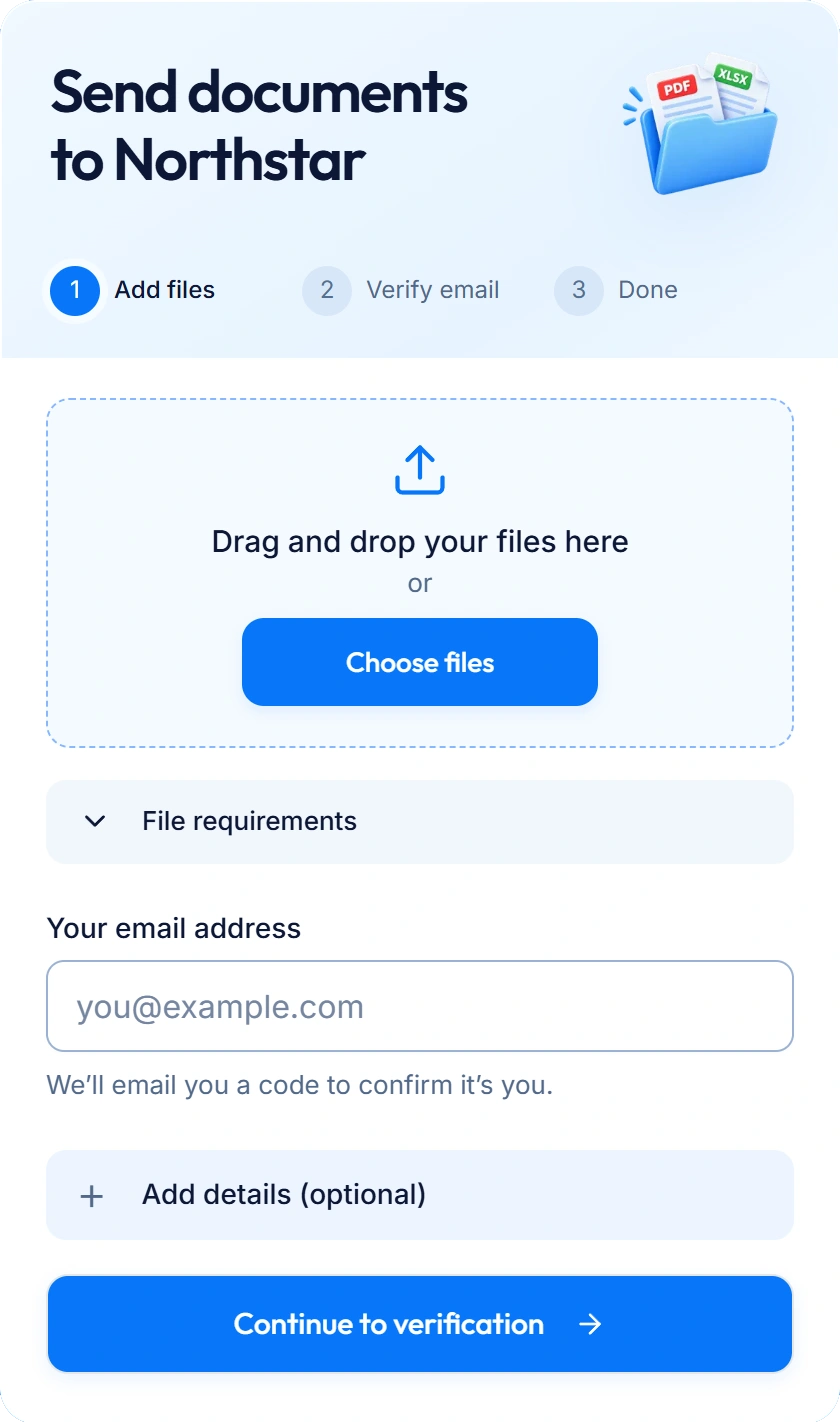
Service agreement.pdf
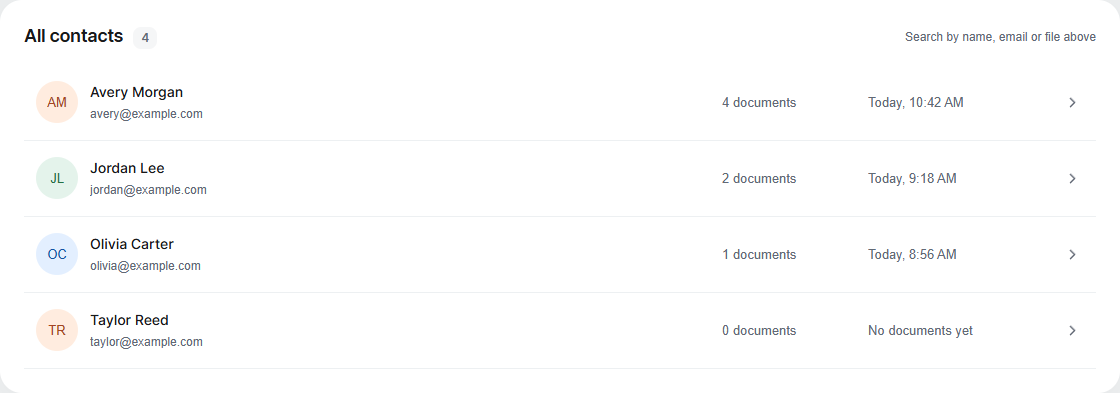
Find the right file in the right place.
Every delivery, grouped under the right client.
Request documents, send reminders and keep every client’s files together. One link. No client accounts.
Share one link with a clear document checklist.
They verify their email and send files. No account needed.
See what arrived and what you still need, in one workspace.
Less back-and-forth. More work moving forward, solo or together.
Every delivery, grouped under the right client.
Share your link by email, message or on your website.
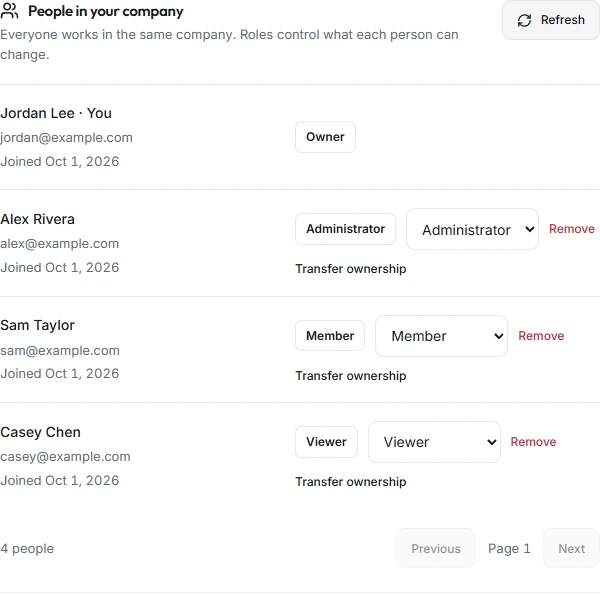
One workspace. Shared files. The right role for each teammate.
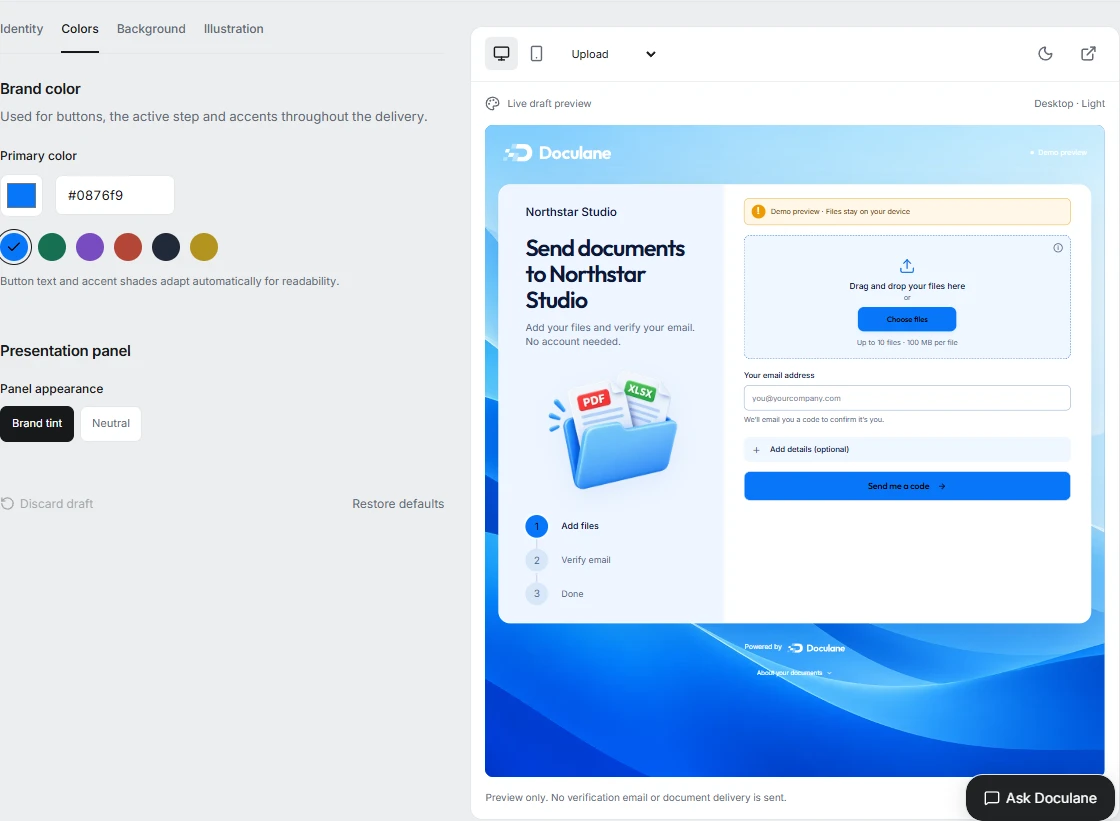
Your logo, colors and background. Preview, then publish.
A verified email on every delivery.
Original filenames, sender details and received dates stay together.
Real product screens. Example data.
One checklist. See what arrived and what’s still missing.
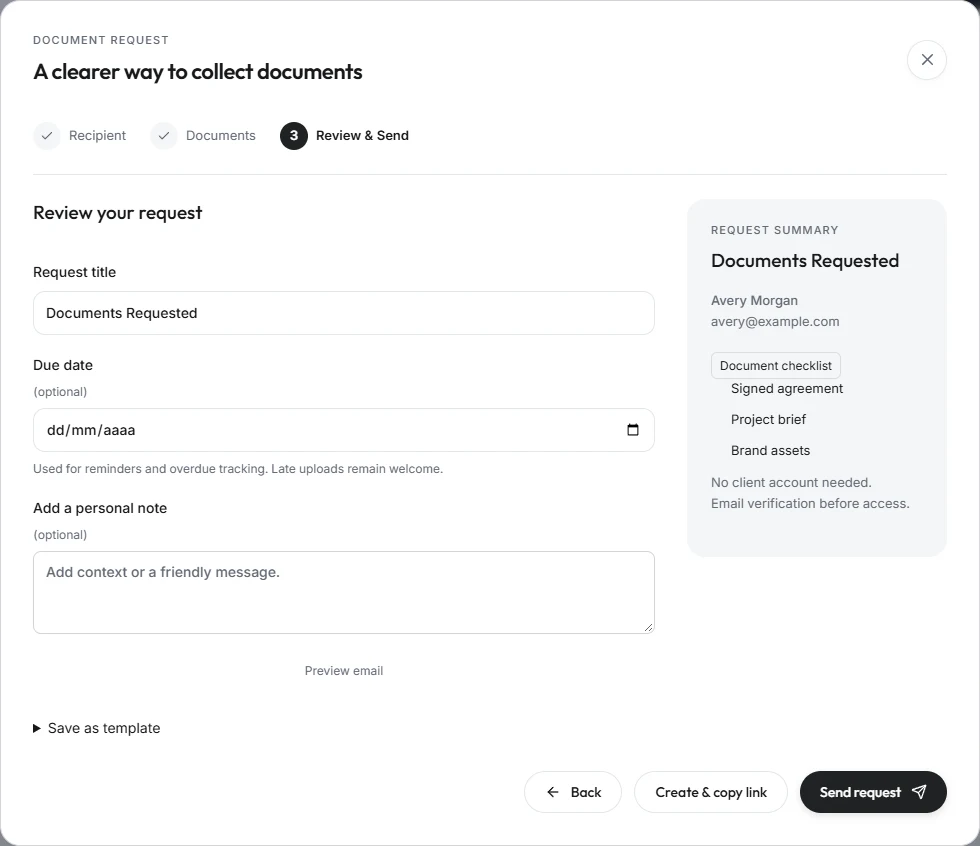
Save document lists and instructions as templates for the next client.
Clients can return with more files while a request stays active. No account needed.
Set deadlines and email reminders for outstanding documents.
Find files, spot missing documents and open the right record. Just ask Laney.
Built into Doculane. Also in your own AI chats via MCP.
Read-only workspace information, not document contents. Your permissions apply; no emails or record changes. Custom connectors depend on your assistant account and settings.
 Laney AIExample
What is Avery still missing?
Source: Avery’s request checklist
Interactive example · Fictional records
New files, copied to Google Drive automatically.
 DoculaneOriginal files
 Google DriveAutomatic copies
One-way copies. Originals stay in Doculane.
Avery Morgan
Files grouped by client. Example folders and filenames.
Give clients a straightforward way to send files and your team an organized place to receive them.
Your business gets one link. Send it whenever you need documents from a client.
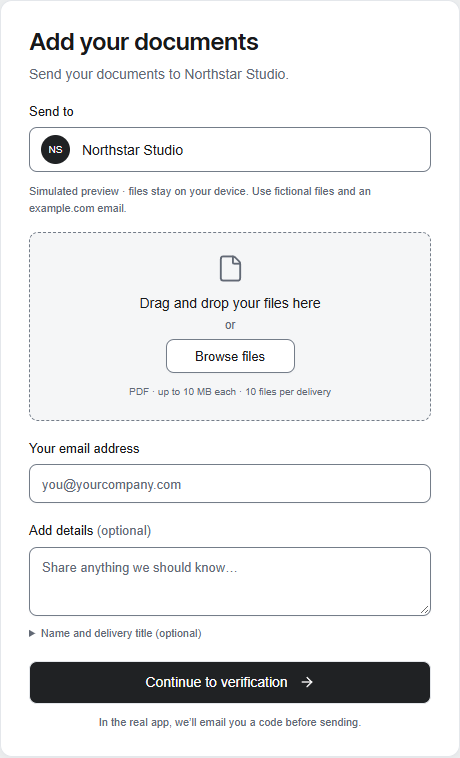
Clients choose their documents and confirm their email. No account or password to remember.
Open your workspace. The original files are waiting, grouped under the right contact.
A client’s files, history and next steps. Together.
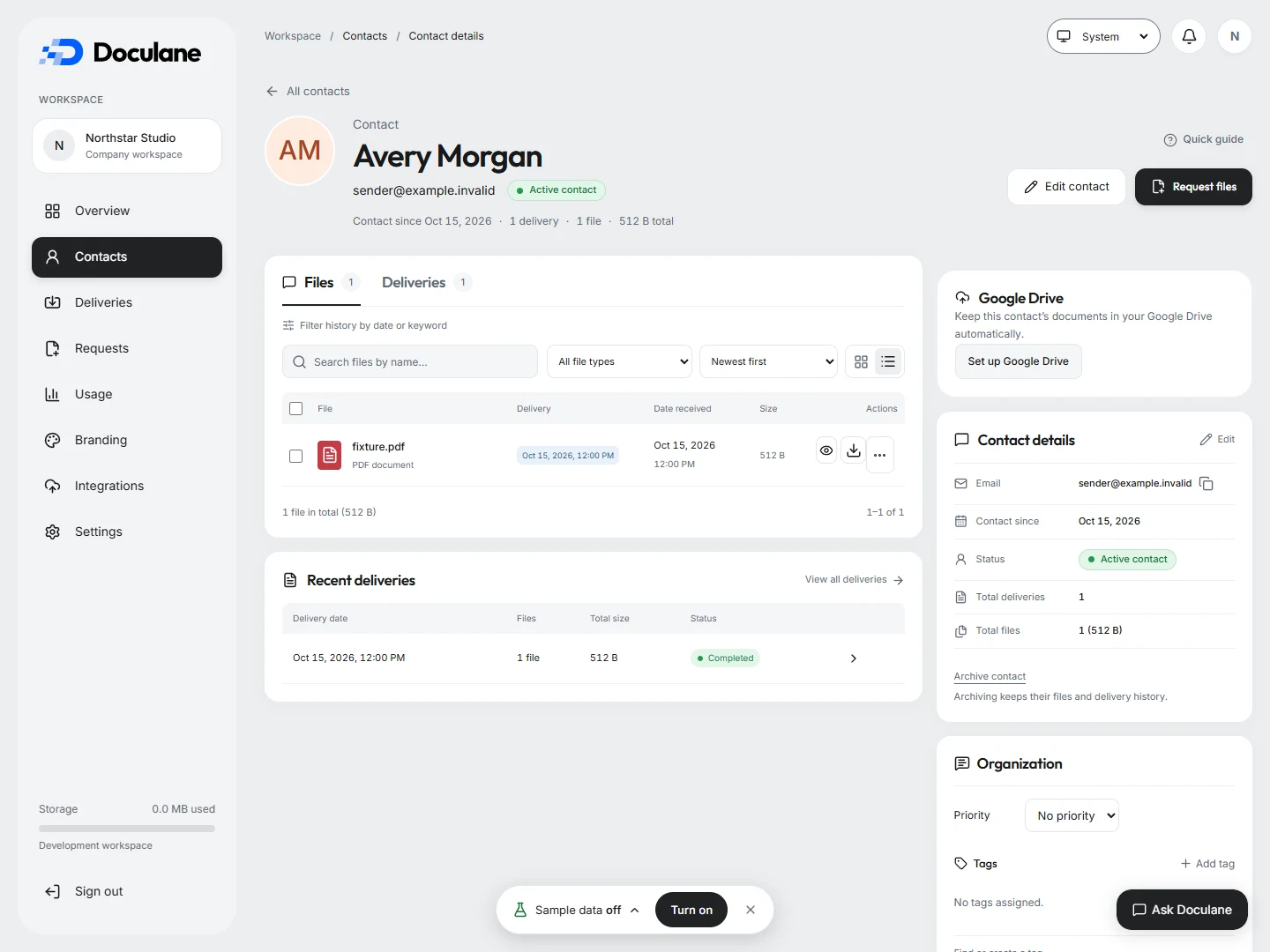
Search, filter and preview before downloading.
Notes, tags and priorities keep your team on the same page.
Download selected files or a client’s documents as a ZIP, within export limits.
Open unread updates. Go straight to the delivery.
Verified senders, people you know or your approved list.
One workspace. The right access for every teammate.
Notes, tags and priorities for contacts and deliveries.
Private documents. Clear team permissions. Originals you can take with you.
Storage & backup FAQsVerified email. No access to your workspace.
Shared records. Access defined by role.
Original downloads and ZIP exports, within app limits.
The right documents for the work you do.
Collect the right files before kickoff.
Less chasing. More time for the project.
Example workflows. Adapt each checklist to your business.
A 14-day free trial is planned.
No commitment. No credit card required.
Unlimited submissions on every plan. Share your link and let clients send files whenever they need to. Monthly allowances apply to the document requests you create.
USD per workspace, billed monthly.
Trial activation and payments are not available yet. View signup options to see how you can continue with Google.
For individuals and small teams
$29/ month
Planned: 14 days free. No credit card.
For growing client workflows
$69/ month
Planned: 14 days free. No credit card.
For larger teams and more requests
$149/ month
Planned: 14 days free. No credit card.
A custom plan for more members, monthly requests, storage or Laney AI usage.
From $299 / month
Let’s talkShare your branded company link and receive as many client submissions as you need, within your storage allowance. There is no monthly submission count and clients don’t need an account.
Reuse templates, set deadlines and follow missing items. Schedule up to five email reminders per request.
Find files and deliveries by client. Keep internal notes, tags and priorities together, with notifications for incoming documents.
Copy received files to your Drive, organized by client or delivery. Originals stay in Doculane; your Drive account provides its own storage.
Invite teammates with defined permissions and choose who can send documents to your upload page.
Ask Laney AI about contacts, files and request progress, or connect a compatible assistant through read-only MCP. Document contents are not analyzed.
Unlimited submissions refers to the number of incoming deliveries. Your plan’s storage allowance still applies, with up to 100 MB per file and 10 files per delivery. Download originals or ZIPs up to 100 MB. Team member allowances include the workspace owner.
Yes, through your general upload link, within your plan’s storage and file limits. Monthly request allowances are separate and start at 100 on Starter.
One new request to one client counts once. Reminder emails and uploads to that request don’t add to the count. General-link submissions don’t use requests.
Yes, through an authorized MCP connector supported by your account. Like Laney AI inside Doculane, it reads workspace records and checklist progress, not document contents. No emails or record changes; your permissions apply.
Connect Drive to copy new files automatically, organized by client or delivery. You can also copy earlier files. Copies go one way; your originals stay in Doculane.
Both. Invite teammates into one workspace with Owner, Administrator, Member or Viewer roles.
Yes. Reuse checklist templates, add instructions and schedule deadlines and reminders. Clients can complete an active request over multiple visits.
Yes. Add your logo, colors, background and illustration. Preview on desktop and mobile before publishing.
Files are private online and access follows workspace permissions. Download originals or ZIPs within app limits. Separate external recovery backups are not active; confirm retention and recovery requirements before onboarding.
No. They open your link, add files and verify their email with a one-time code.
Doculane supports PDFs, office documents, spreadsheets, and common image formats. The upload page shows the formats and file-size limits available for your workspace.
No. Upload links let clients send files, not browse your workspace or other clients’ documents.
View signup options in the pricing section. Google is the current sign-in option; email registration is not available yet. A 14-day free trial is planned, with no commitment or credit card required. Trial activation and payments are not available yet.
Less follow-up. More time for your clients.
Book a demo See Doculane in action.